![CARMA Stacked Negative Logo.png]](https://help.carma.com/hs-fs/hubfs/CARMA%20Stacked%20Negative%20Logo.png?height=40&name=CARMA%20Stacked%20Negative%20Logo.png)
Share a dashboard with a public URL
To share a snapshot of your dashboard, open the Dashboard options (•••) menu and select Share Public URL.
Anyone with the link can access the shared dashboard without logging into CARMA.
The shared version is a snapshot of the dashboard at the time the link is created and does not contain live data.
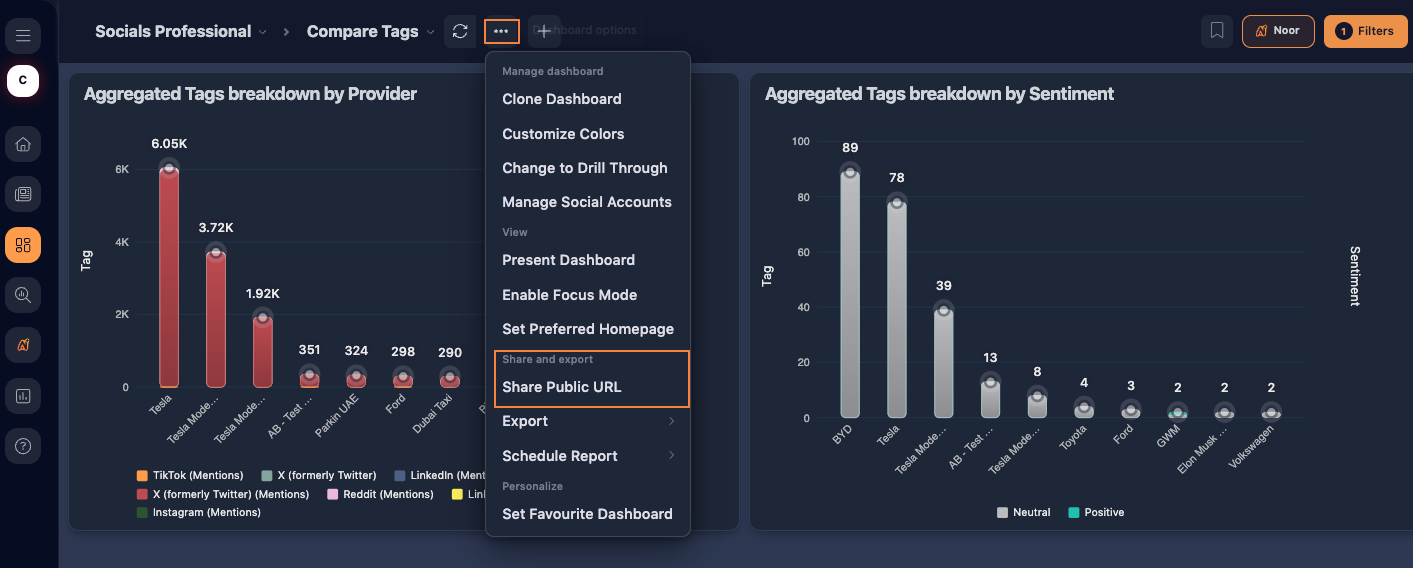 Select Share Public URL to create a shareable snapshot of your dashboard.
Export a dashboard
Open Dashboard options (•••) > Export and choose the format that best suits your needs:
- PNG
- PowerPoint Report
- AI Powered PowerPoint Report
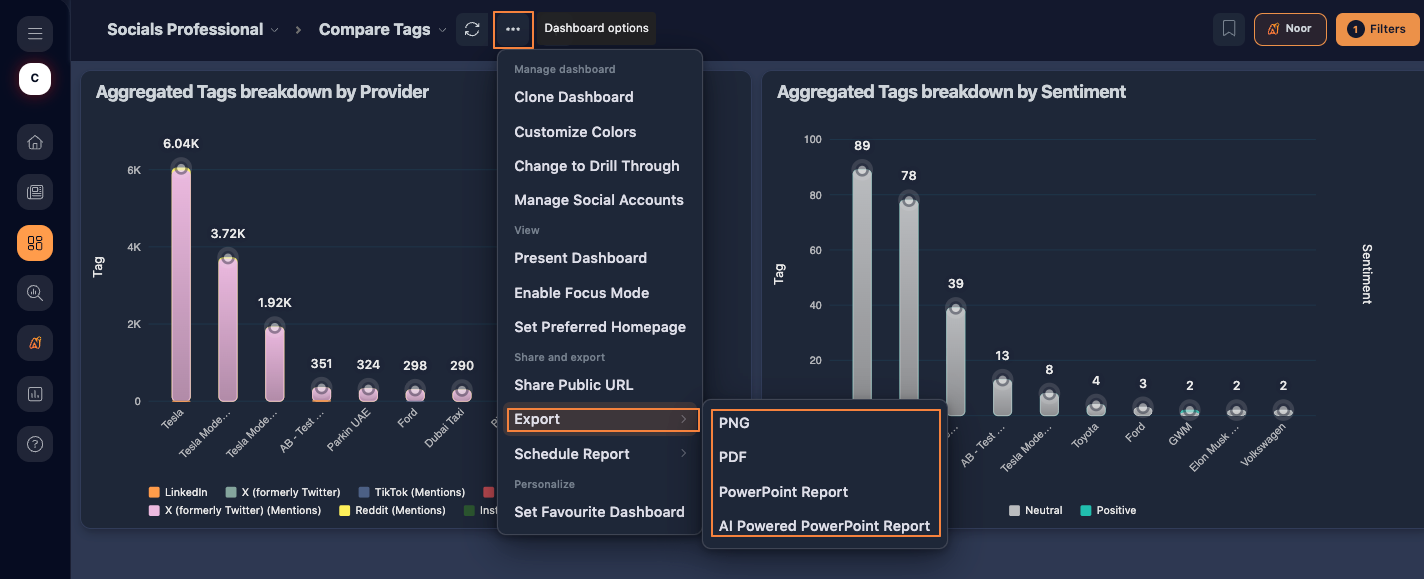 Export your dashboard as an image, PDF or PowerPoint report.
PowerPoint reports
Select PowerPoint Report to automatically generate your dashboard as a presentation using a CARMA template.
For more control over the presentation, select AI Powered PowerPoint Report. This lets you choose the dashboard widgets to include, customize the presentation and optionally add:
- an Introduction Slide
- a Recommendations Slide
- AI Summaries
Follow the report builder to select your content and design, then select Generate PPTX when you're ready.
Schedule a dashboard report
You can also have dashboard reports delivered automatically by email.
Open Dashboard options (•••) > Schedule Report > Create Schedule Report.
Add your recipients, choose the reporting period and delivery schedule, and select Save and Close.
You can also choose to attach a PowerPoint to the scheduled report.
To manage existing schedules, select Schedule Report > View Scheduled Reports.
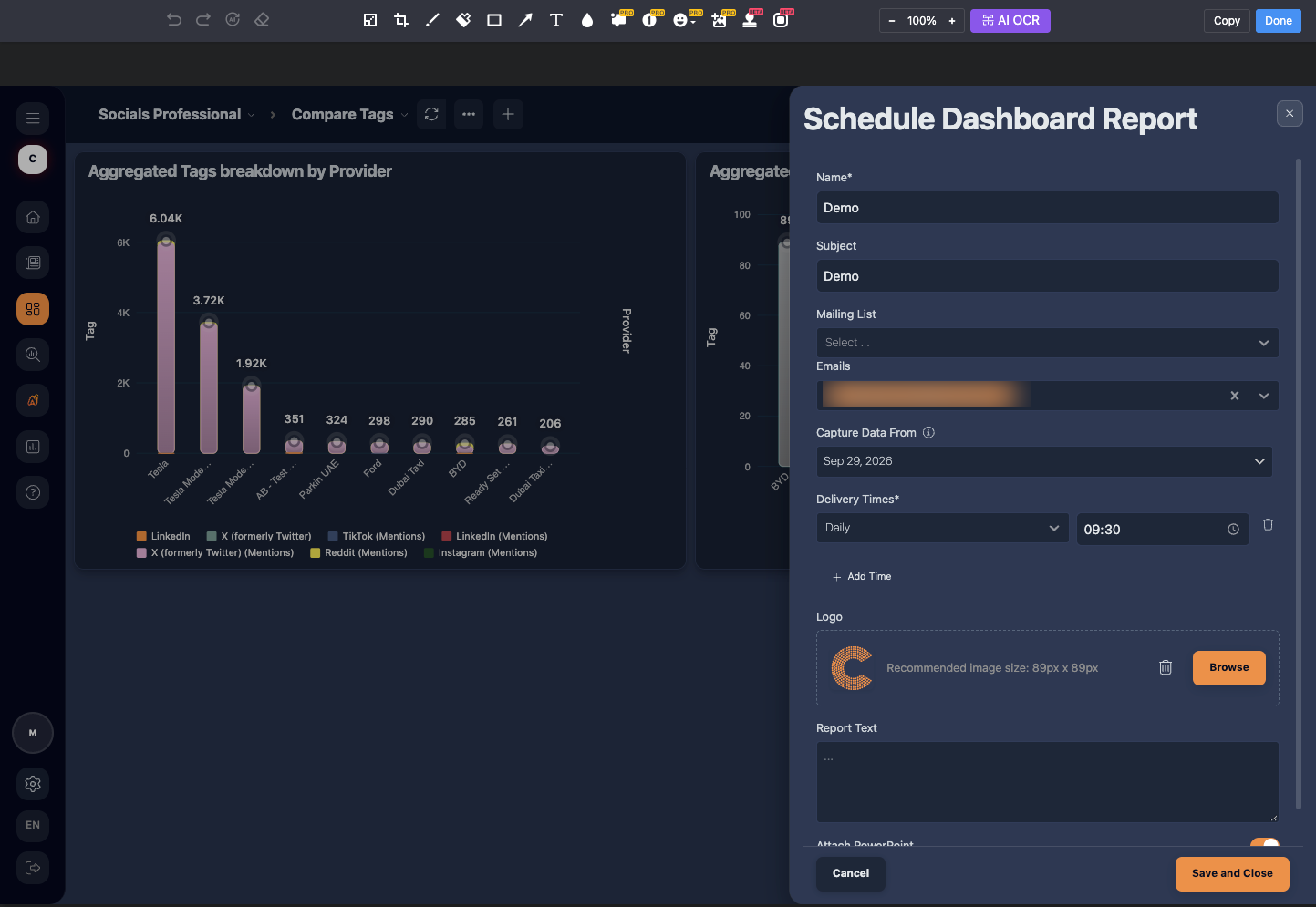 Choose who should receive your report and when it should be delivered.
Export individual widgets
If you only need a specific part of your dashboard, you can also export individual widgets rather than the complete dashboard.
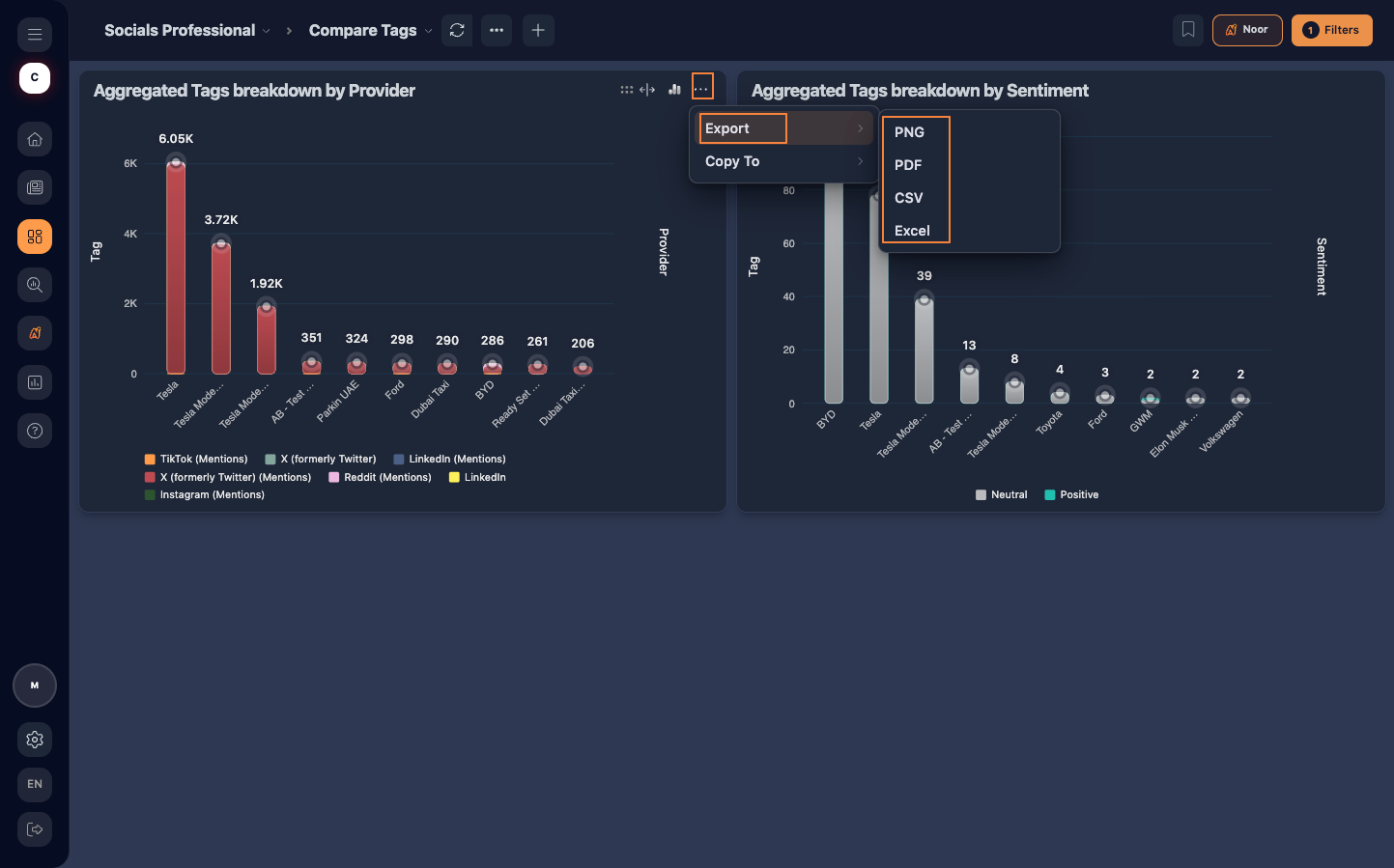 Open the options for the widget you want to export and choose the relevant export option.