![CARMA Stacked Negative Logo.png]](https://help.carma.com/hs-fs/hubfs/CARMA%20Stacked%20Negative%20Logo.png?height=40&name=CARMA%20Stacked%20Negative%20Logo.png)
Discovery is built for exploring what’s in your coverage at a glance. Switch on AI clusters to let the platform group related stories into themes automatically.
Open Discovery
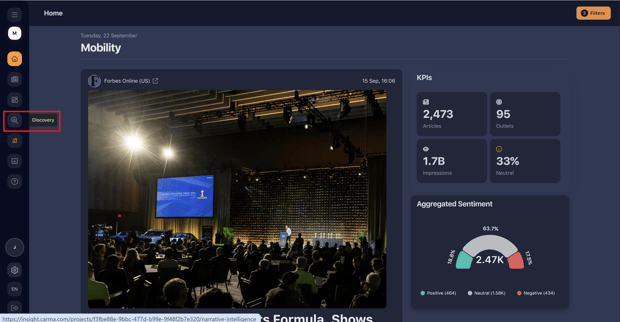
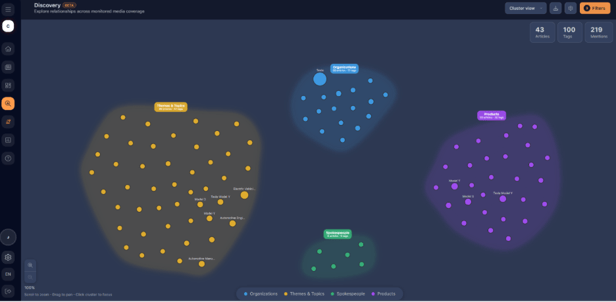
Select the magnifying glass icon on the toolbar to the right of the screen.The Narrative Map groups your coverage into clusters
Change how the data is displayed
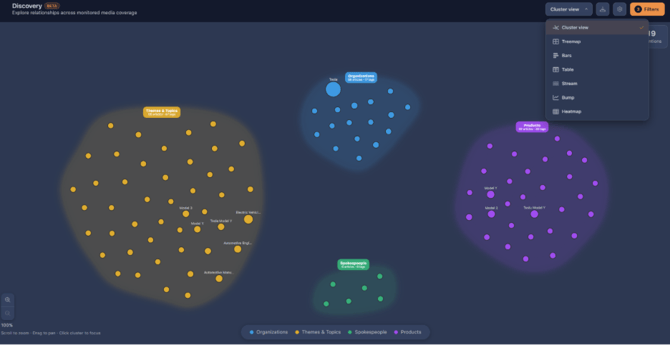
- Select the Cluster view dropdown.
- Choose from the range of options to change how the data is visualised.
Use Cluster view to change how coverage is grouped
Filter the data
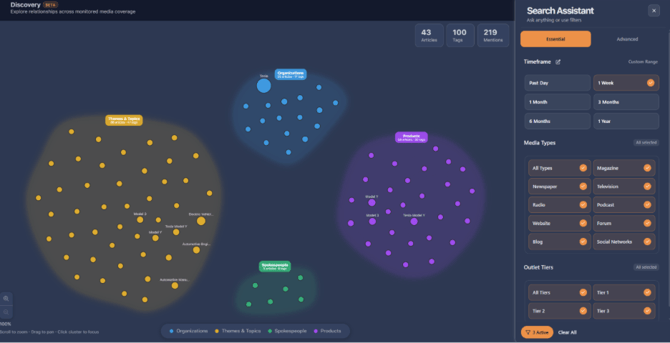
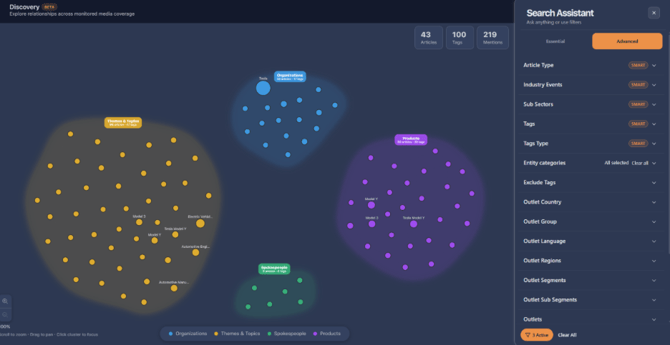
Select the Filters button in the top-right corner to change the data behind the view.
- In the Essential section you’ll find basic filters such as date range, media type and outlet tiers.
- In the Advanced section you’ll find more granular filters such as outlets, outlet countries and tags.
Adjust display settings and AI clusters
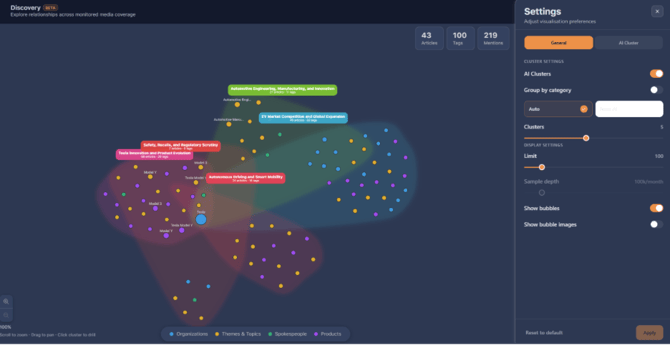
Select the Settings button to change how the data is displayed, including AI clusters.
- Use the toggle to switch on AI clusters, then select Apply to see the stories and themes pushing tags within the project.
- Switch between Auto AI and Noor AI as the engine behind the data.
- Set a limit on the number of clusters or tags shown on screen.
Turn on AI clusters in Settings
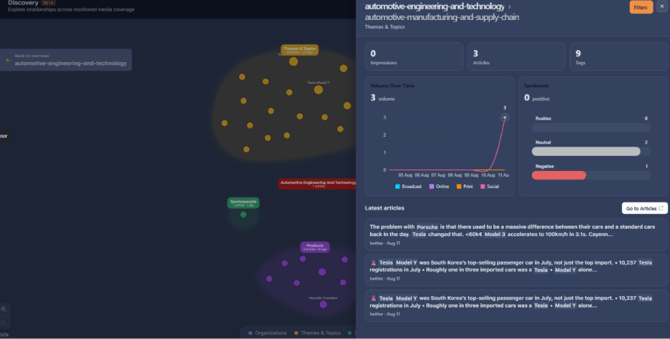
See the articles behind a data point
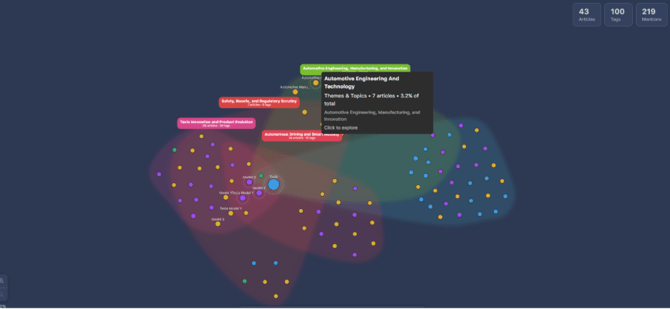
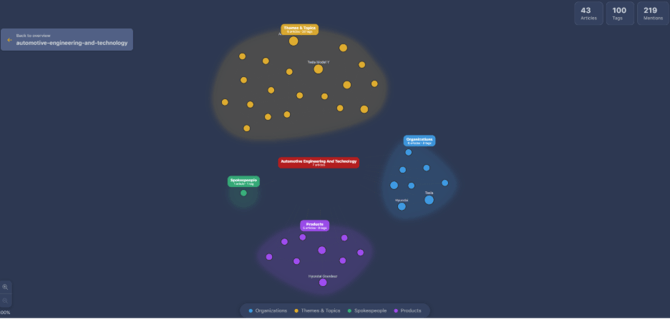
- Select any bubble to see a breakdown of the categories behind that data point.
- Select into a bubble again to open the full article list.
Drill into a bubble to reveal the articles behind it
Export from Discovery
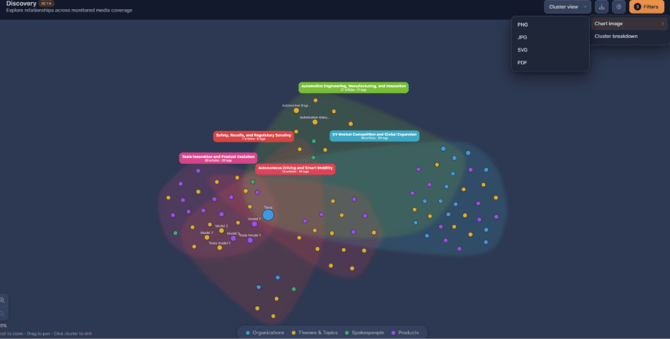
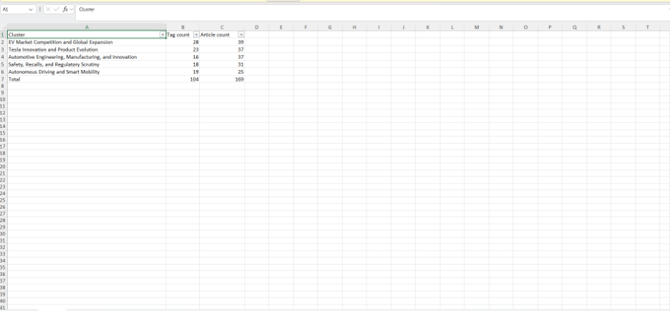
Export options are found under the Download button in the top-right. You can:
- Export an image of the chart currently displayed, or
- Export the data behind it using the Cluster breakdown option.
Export a chart image or the underlying data
Need more help? If anything doesn’t look right, contact your CARMA representative or support team, and include your account, the project and the filters you’ve applied.